Irdora
An iPhone app for conversations you would rather not trust to memory: a doctor's visit, a lecture, a meeting. Irdora records it, writes down what was said, tells the speakers apart, and gives you a summary with the action items and a mind map. The work is done on your iPhone, with no account and no server of mine in the middle.
On your iPhone
Transcription, speaker separation and the summary all run on the device. Irdora does not use Apple's Private Cloud Compute or any cloud AI.
No account
No sign-in, no analytics, no adverts and no trackers. The App Store privacy label for Irdora is Data Not Collected.
Clear pricing
Irdora Pro is needed to use the app. Pay once for life, or subscribe by the year or the week. The App Store shows each price before you pay.
What it does
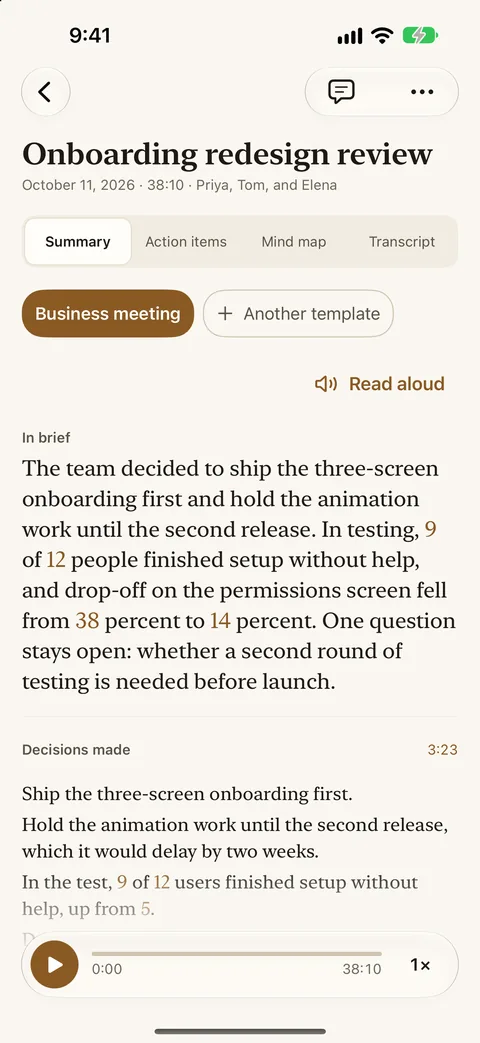
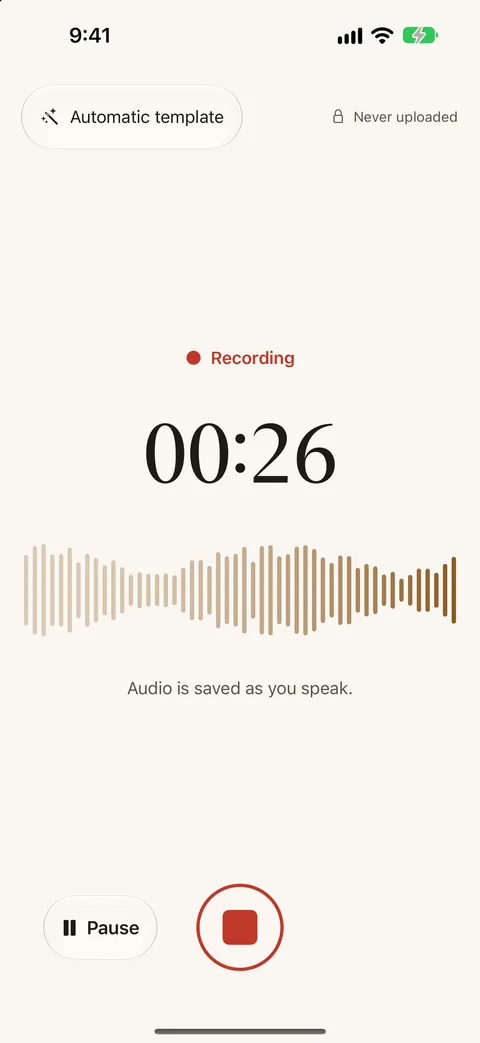
Tap record and have the conversation. When you stop, Irdora writes down what was said, works out who said it, and writes a summary shaped to the kind of conversation. There are 16 built-in templates, from a doctor's visit to a stand-up to a voice journal, and you can write your own.
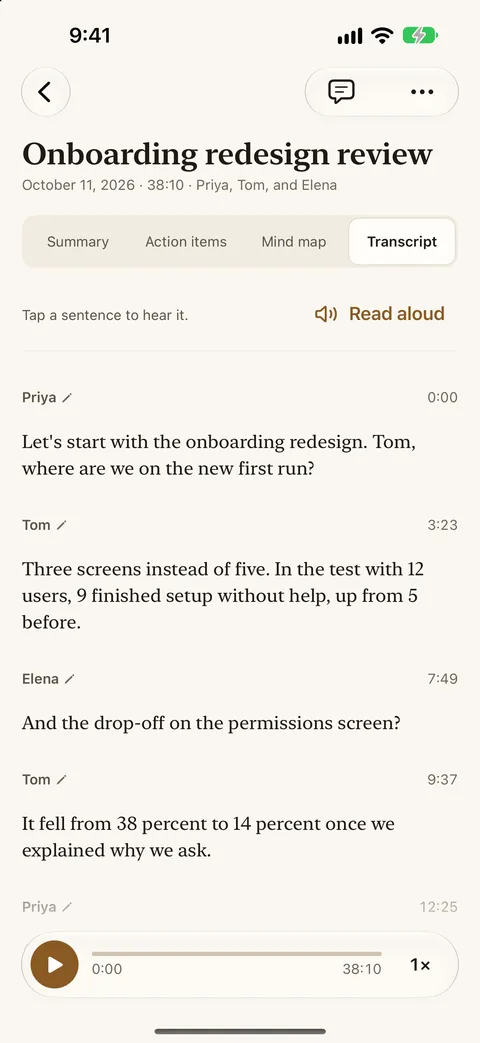
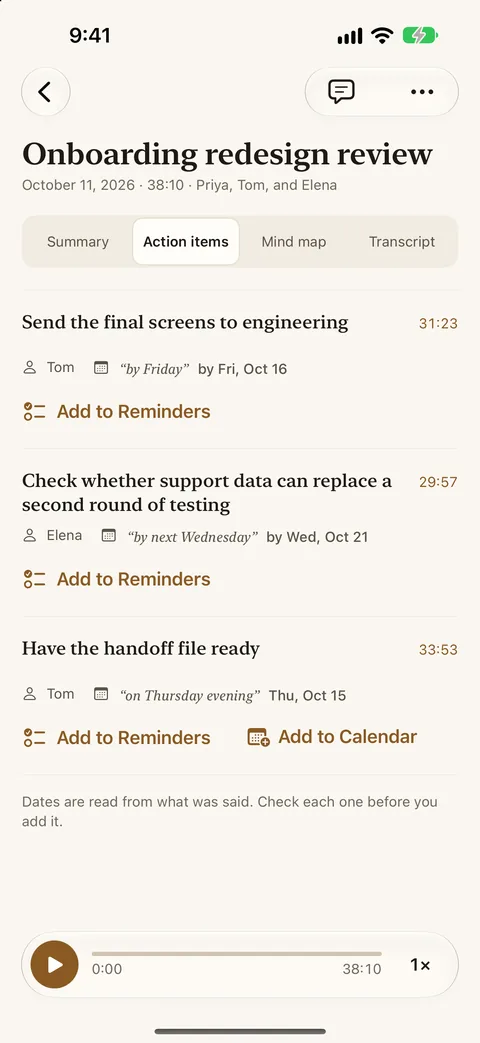
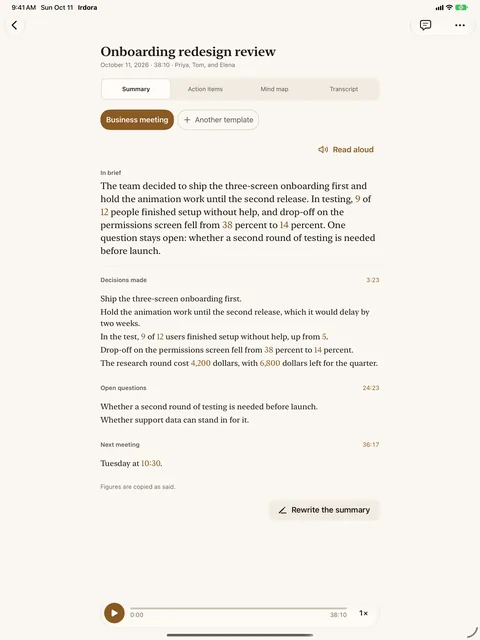
Every summary opens with a short In brief, then the points that matter, then the action items, each with who is to do it and by when. Tap a point and the transcript opens where it was said, and tap any sentence in the transcript to play the recording from that moment, so you can check a dose or a date against what was actually said. Doses, dates, amounts and names are copied as said, never worked out.
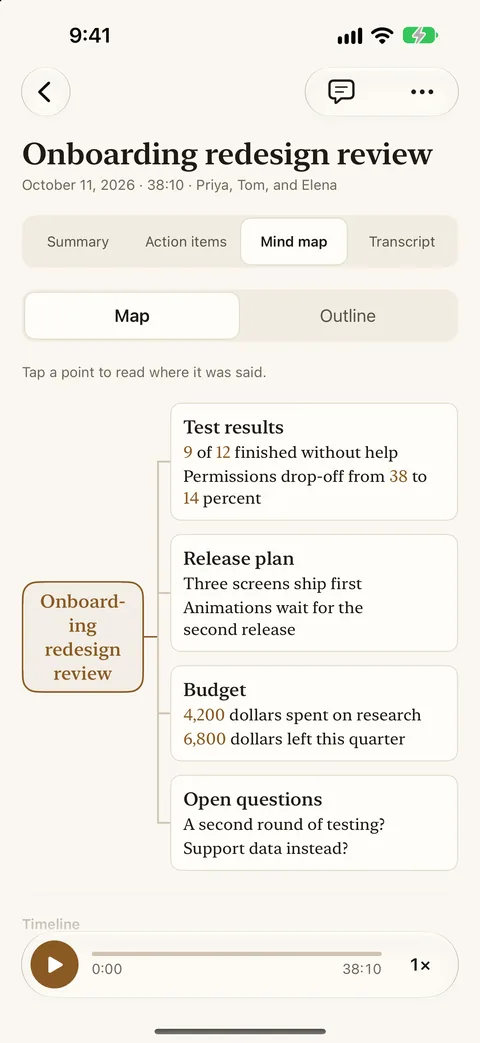
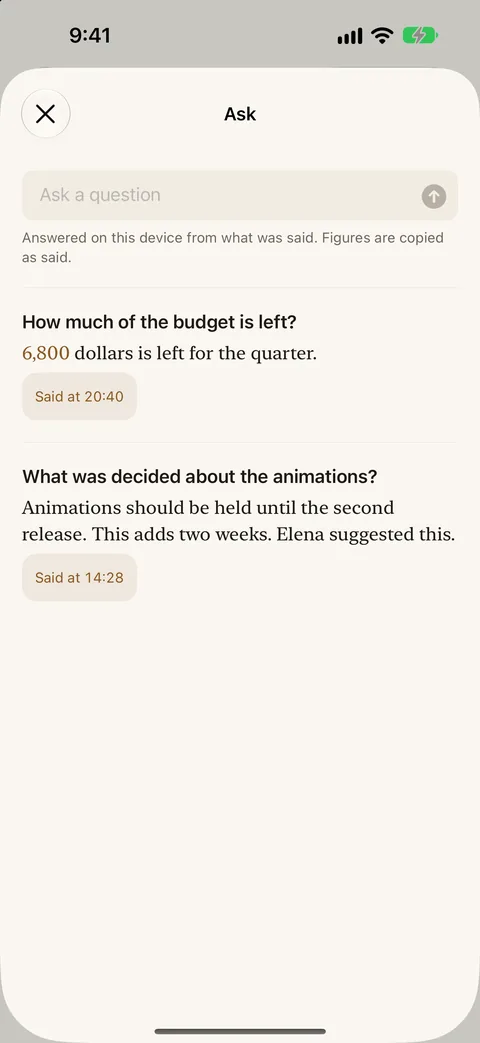
Each recording also gets a mind map of its topics. Recordings that belong together, such as a course's lectures or a run of visits, can be gathered into a series that shows what is new since last time. You can ask a recording, or a whole series, a question, and the answer points to where it was said.
Where the work happens
The audio is stored on your iPhone and Irdora never uploads it. Speech to text and telling the speakers apart run on the device, and so do the summaries, mind maps and answers, which are written by the on-device model in Apple Intelligence.
Irdora connects only to Apple: the App Store for purchases, Apple-hosted downloads for the speech model the first time you use the app, and iCloud if you turn on sync. Sync is off until you turn it on. Then your recordings' titles, transcripts, summaries, series, speaker names and templates go to your own private iCloud, so they reach your other devices. The audio stays on the device that recorded it, and I cannot read your iCloud.
Export and reminders
Export a recording as a PDF or an RTF, with the summary, action items, mind map and transcript as you choose. The file is made on your iPhone and leaves it only when you share it. Add an action item to Reminders or Calendar with a tap, or have a summary or transcript read aloud in a voice installed on your iPhone.
Price and purchase
Irdora Pro is required to use the app. It is sold as a lifetime one-time purchase, a yearly subscription with a 3-day free trial, or a weekly subscription. The prices are shown in the app, taken from the App Store, and Apple handles the payment. I receive no payment details. If a plan ends, your recordings stay on your device: you can still read, read aloud, export, share and delete them, and play them on the device that recorded them. Recording and new summaries need Irdora Pro.
Summaries, action items, mind maps and answers need Apple Intelligence. Recording, transcripts and speakers work without it, and the purchase screen says so before you buy. On an iPhone where Apple Intelligence is off or not available, you can still record and read transcripts, and a recording made while it is off is summarized once it is on, if Apple Intelligence supports its language.
Honest limits
Summaries, action items, mind maps and answers need Apple Intelligence, which runs on an iPhone 15 Pro or newer, an iPad with an M1 chip or later, or an iPad mini with A17 Pro, in a supported region and language. Without it Irdora still records, transcribes and tells the speakers apart; the Summary, Action items and Mind map tabs say what is needed and open the transcript instead.
The on-device model is smaller than the models behind cloud services, so a summary can miss a point. The transcript is the record, and every point opens it where the point was said. Check anything that matters, such as a dose or a date, by tapping the sentence and hearing it.
Summaries are written in the languages Apple's on-device model supports. A recording in another language keeps its transcript, its speakers and its playback, and the summary area names the languages that are supported.
Telling speakers apart is good and not perfect. A short reply can be given to the wrong speaker. Irdora cannot record the audio of a phone or FaceTime call directly, because iOS does not allow it. It records through the microphone, so it is made for conversations in the room.
Recording other people may need their permission where you live. Irdora puts a note about this on screen before your first recording.
If one of these limits rules Irdora out for you, I compared the other options, mine included: the best AI voice recorder apps for iPhone, and who each one is for.
What it looks like
The recordings in these pictures are made up: no real person or conversation.