Pageora
A document scanner that turns paper into a clean, searchable PDF and puts it straight into your own iCloud Drive, as an ordinary file you can open in the Files app. No account, no server, and nothing to pay every month.
No subscription
One optional purchase, $14.99, paid once and kept forever. Scanner apps that bill you every year are the reason this one exists.
No adverts
Nothing inside Pageora is selling you something else, and no watermark is stamped on your pages, before or after you pay.
No server
There is no back end to send your documents to. They go to your own iCloud Drive and nowhere else. The privacy label reads Data Not Collected.
What it does
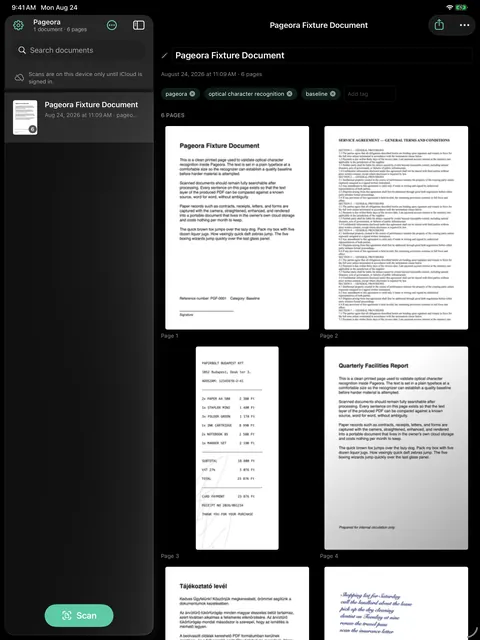
Point the camera at a piece of paper. A letter, a contract, a receipt, a handwritten note. Pageora straightens the page, cleans it up in colour, greyscale or crisp document black and white, and reads it with the text recognition built into the device. What you get back is a normal PDF whose text you can select, copy and search.
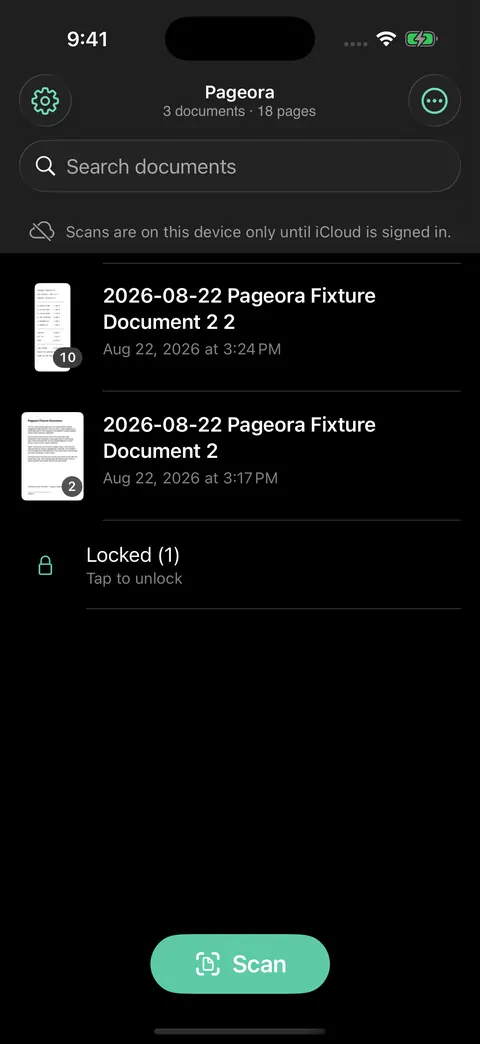
Search looks inside your documents rather than only at their titles, so a word you remember from the middle of a page is enough to find it. That works from your Home Screen search too. New scans name and tag themselves, on the device.
Pages can be reordered by dragging, rotated, retaken one at a time, or deleted, and documents renamed and tagged freely.
Where your scans live
Every scan is saved as an ordinary PDF in your own iCloud Drive, in a folder called Pageora that you can open in the Files app on any of your devices. Not in an app-shaped box that only this app can read, and not on a server belonging to me.
That has a consequence worth stating plainly: if you ever delete Pageora, your documents are still there. They were always yours, sitting in your own storage, in the most boring and portable format there is.
If you are signed out of iCloud the app works exactly the same, keeps everything on the device, and says so on screen rather than failing quietly.
Redaction that means it
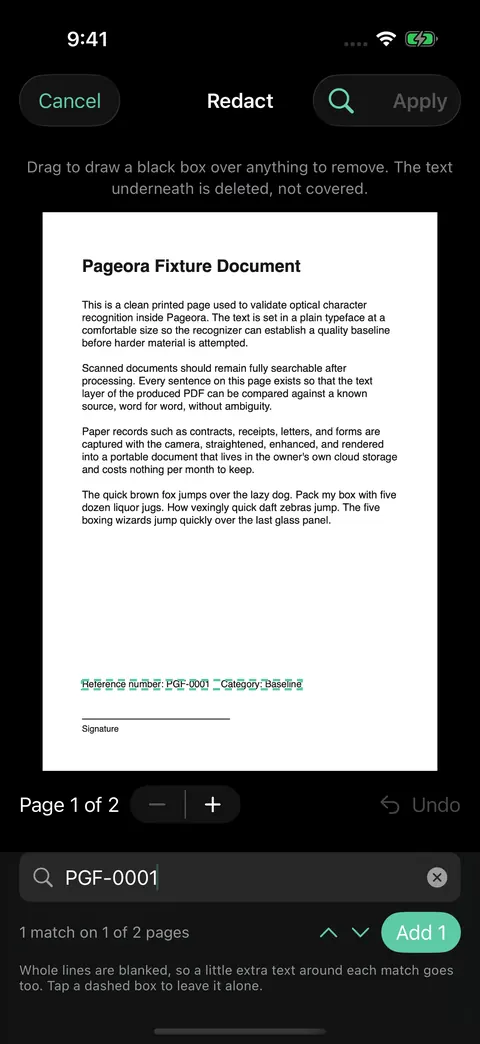
Draw a box over an account number and the text underneath is deleted from the PDF, not painted over. Copying finds nothing, extraction finds nothing, and search finds nothing, because there is nothing left to find. A black rectangle laid on top of live text is the most common way people accidentally publish the thing they were hiding.
There is a find mode as well, which sweeps a whole document for a phrase and tells you how many matches it found and on how many pages, so a match the recogniser missed cannot pass unnoticed.
What it looks like
Free, and what the purchase adds
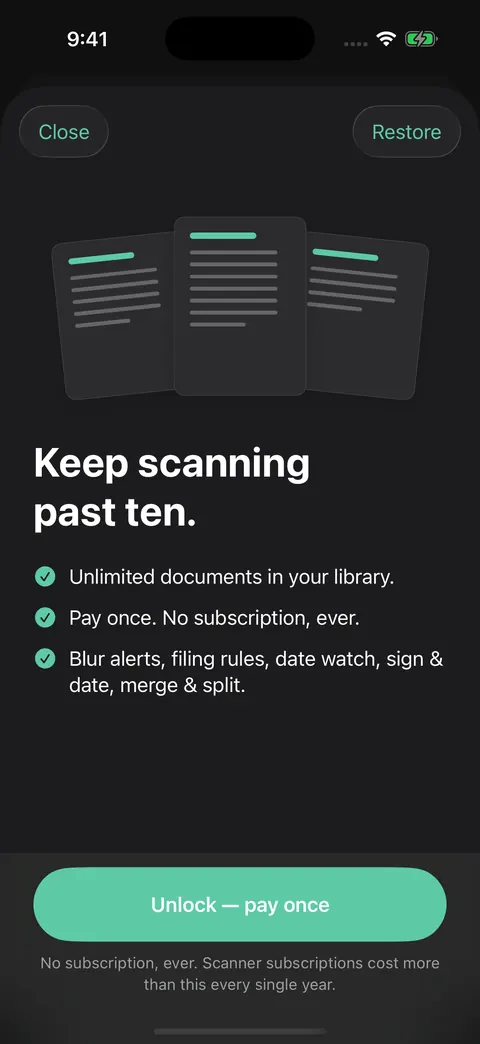
The free app is the whole scanner, not a trial of it. Capture, straightening, enhancement, text recognition, searchable PDFs, search inside documents, automatic naming and tagging, page editing, redaction and iCloud are all there, at full quality, with no watermark and no advertising. The only limit is that your library holds ten documents. Deleting one frees a slot.
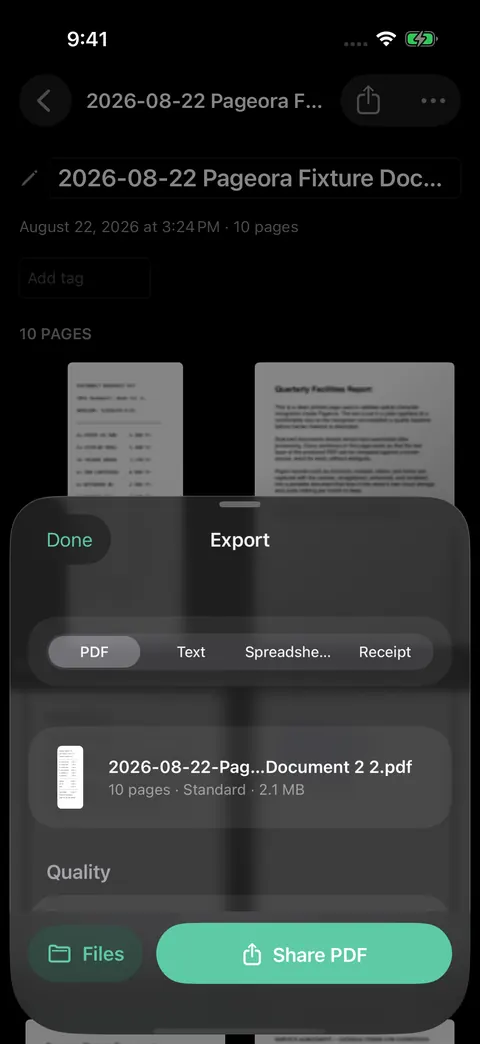
Pageora Unlimited is a single purchase, $14.99 in the United States and the local equivalent elsewhere, that lifts that limit and turns on the rest: signing and dating, merging and splitting documents, moving pages between them, find and redact across a whole document, export to plain text, spreadsheet or receipt, archival PDF/A, password protected PDFs, fit to email sizing, filing rules that sort new scans for you, filename templates, a Face ID locked folder, duplicate finding, and a one file backup of your whole library.
It is bought once and kept. There is no subscription in this app and there is not going to be one.
Honest limits
Text recognition is very good and it is not perfect. Faint carbon copies, heavy handwriting and bad lighting all cost accuracy. Searchable does not mean proofread, and for anything that matters you should still read what came out.
Text recognition also only covers the languages Apple's recogniser supports, which is about thirty. Hungarian is not among them, and neither are most of the smaller European languages. A page in an unsupported language still scans, still becomes a PDF and still gets a text layer, but the accented letters come back wrong often enough that searching for an accented word may not find it.
Automatic capture is tuned for loose paper. Photograph a page in a bound book and the shutter sometimes fires before the edges have been found, which leaves the facing page in the shot and the text on a slant. Pageora straightens what it can afterwards, and tapping the shutter yourself once the page is square in the frame still gives the better result.
The Face ID locked folder hides documents from the library, from search, from Spotlight and from Siri. It is a visibility control, and the app says so before you lock anything for the first time. The PDF itself stays a normal readable file in your own iCloud Drive folder. It is not encryption and is not described as encryption.
Password protected export uses the encryption built into Apple's own PDF support, at 128 bits. That is a real lock and it is not the strongest one in existence, so the app names the strength rather than implying more.
Page editing happens on the device that did the scanning. Open your library on a second device, or reinstall the app, and every document is there to read, search, share and delete, but editing its pages sends you back to the device that scanned it. Editing from any device is on the list for a future version, and it is not built yet.